
How to make your payment
Step 1:
Follow the link in the monthly invoice email provided by Basis Technologies to arrive at the statement overview page.

Step 2:
Select the invoice(s) to pay and continue to the next page.
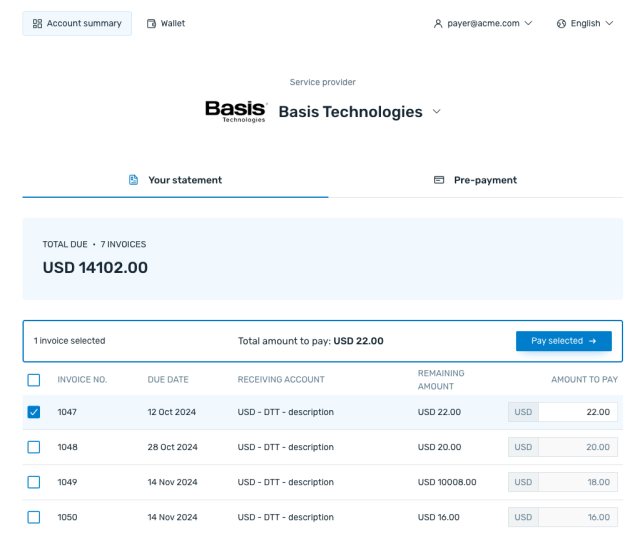
Step 3:
Enter the company details requested and select continue.
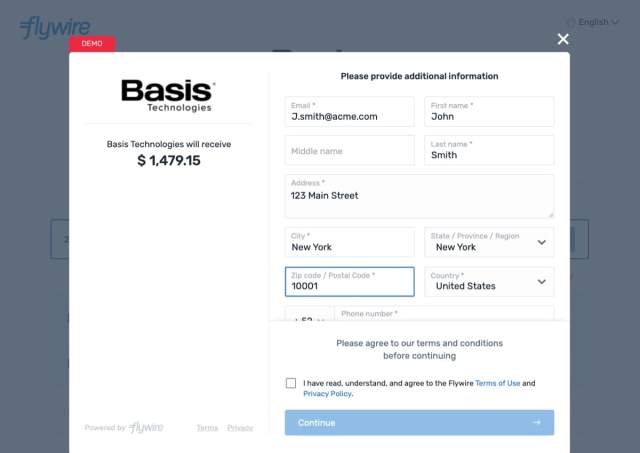
Step 4:
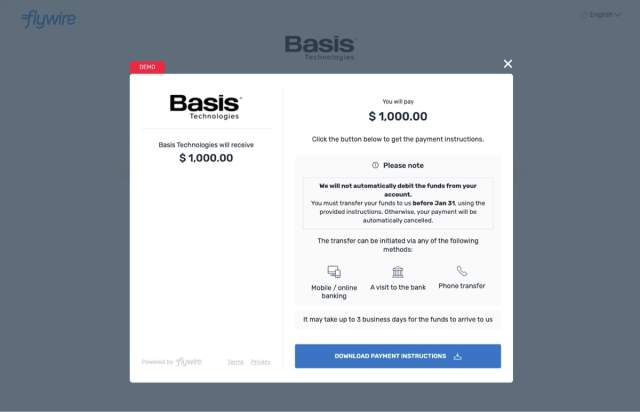
Select the desired payment method and follow the prompts to complete the payment. For Bank Transfers, payment may be made online, in person, or over the phone.
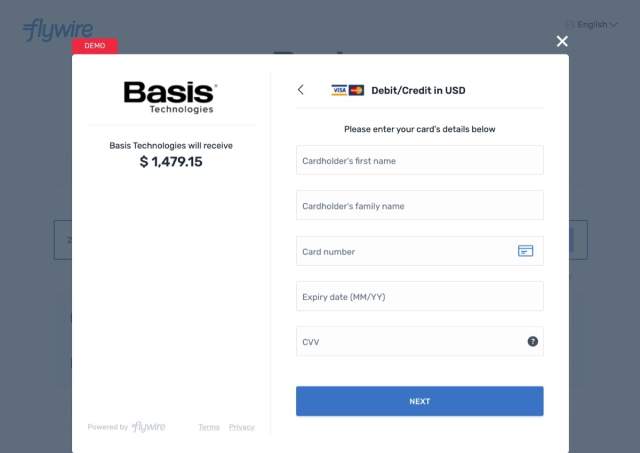
Step 5:
Track email and text updates of the payment as it is processed.
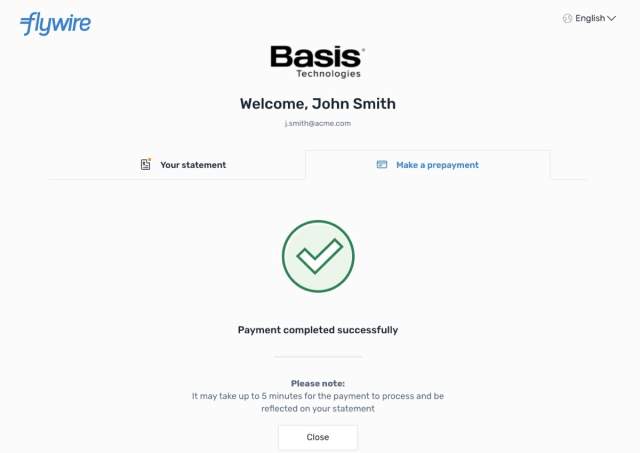
Step 6:
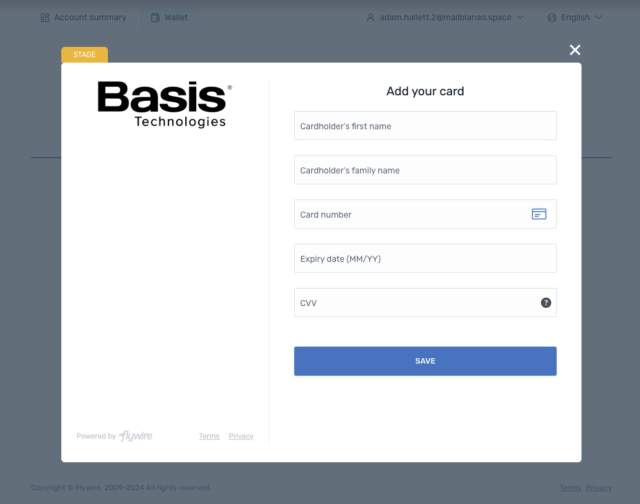
Store an applicable payment method by checking the box to allow Flywire to store payment method and click Save Card.
Prepayment
Step 1:
Follow the link in the prepayment email provided by Basis Technologies to arrive at the statement overview page.
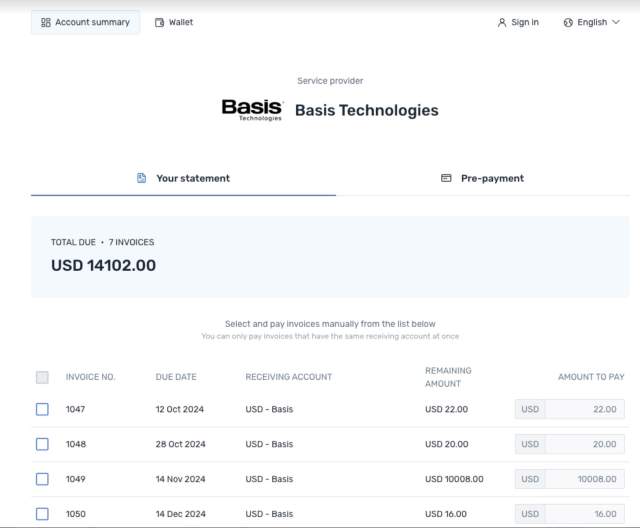
Step 2:
Select the tab on the right to make a prepayment and enter the amount of the prepayment.
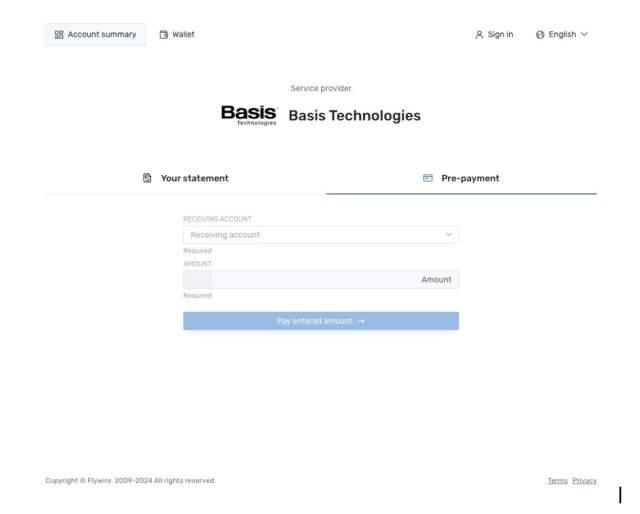
Step 3:
Enter the company details and desired payment method to complete the prepayment.
Store a payment method
Step 1: Navigate to wallet and complete authentication if required.
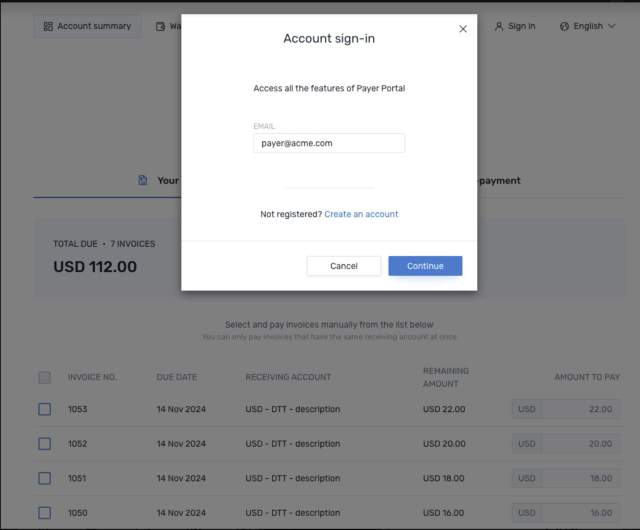
Step 2: Click to add payment method.
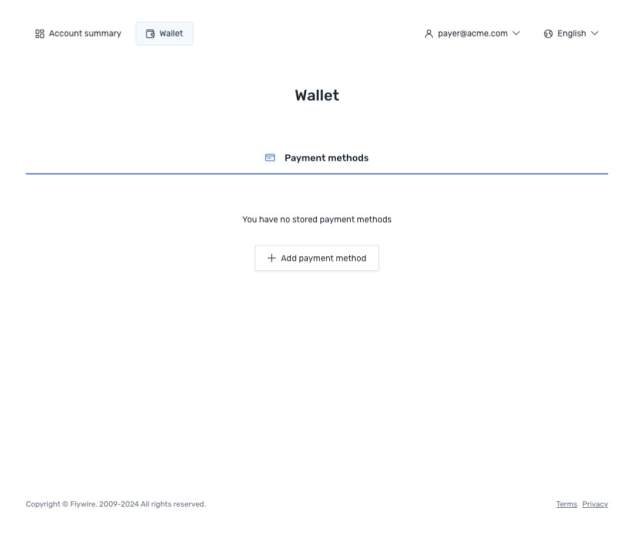
Step 3: Add your payment method information.
Step 4: Choose to pay with your stored payment method.
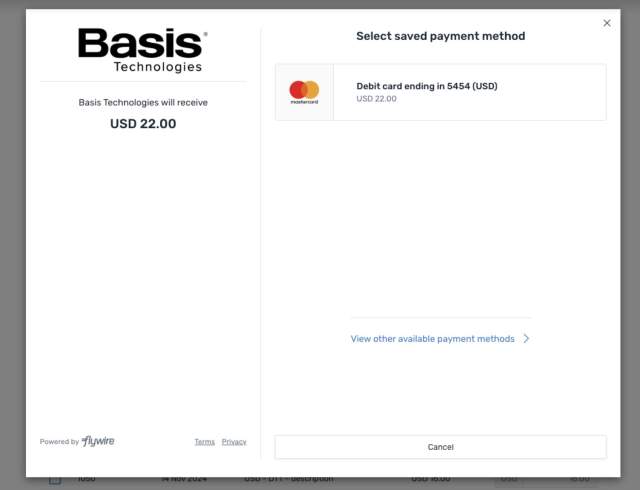
Set up automatic payments
Step 1:
Navigate to wallet or setup from the account page. Complete authentication if required.

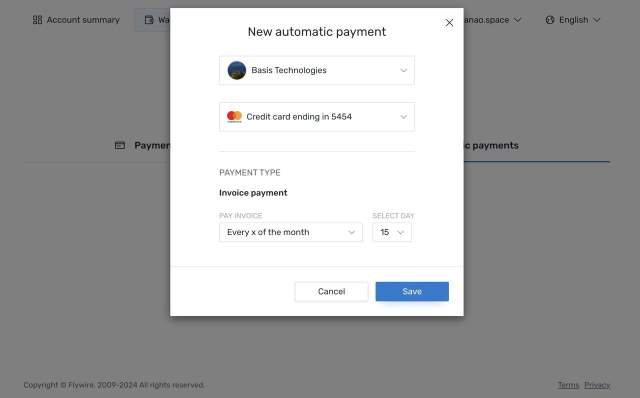
Step 2:
Click to setup automatic payment, choose the stored payment method and timing for automatic payment.
Basis Technologies Support
Have questions about your payment?
[email protected]
Have questions about your invoice?
Managed Activation Accounts: [email protected]
Basis Software Accounts: [email protected]